
Text, documents and images to slides
Paste plain text, upload a DOCX or PDF file, or add images. Preza turns your content into slides.
Paste text or upload a Word/PDF file or images. Preza builds a structured, editable PowerPoint for you right in your browser.
Free to start. Works in Google Chrome.
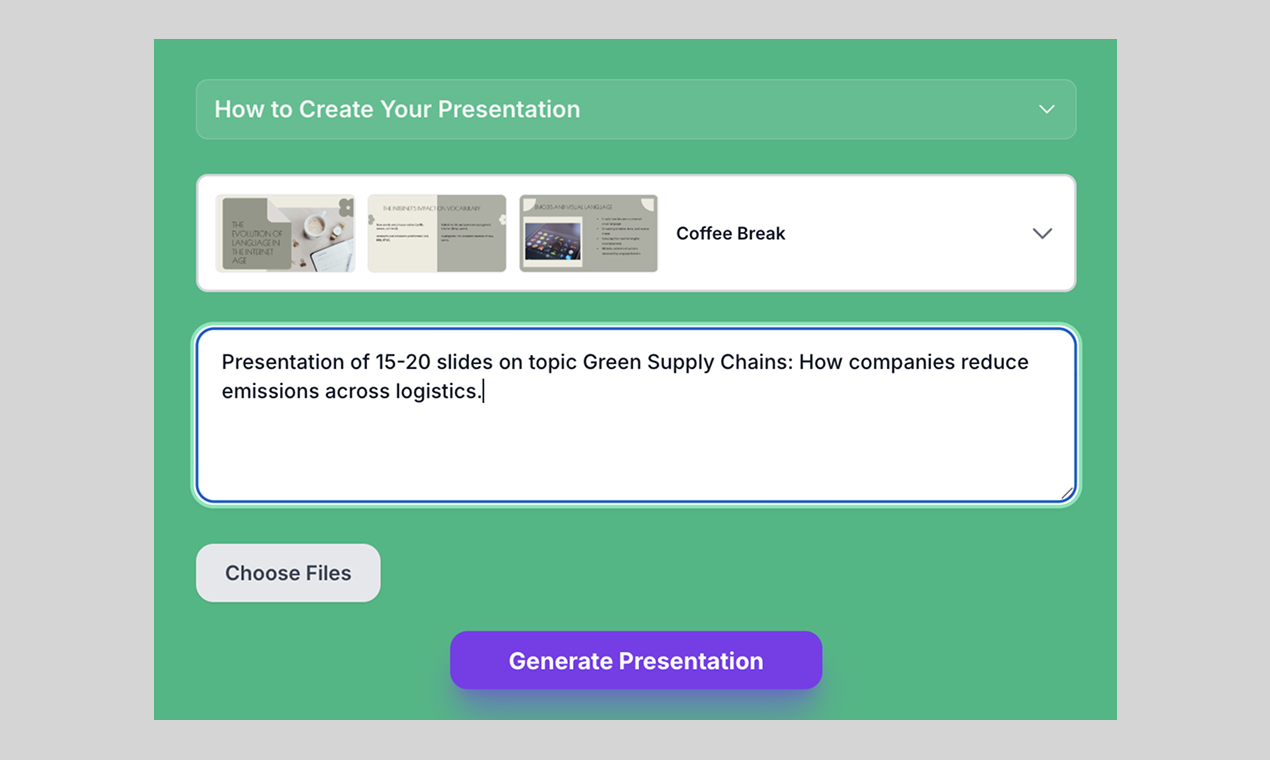
Three steps, from your notes to an editable presentation file.
Type or paste text, upload a DOCX or PDF file, and add images.

Choose one of 6 professional templates.

Open it in PowerPoint or Google Slides and edit freely.
A short list of what the extension does today.
Paste plain text, upload a DOCX or PDF file, or add images. Preza turns your content into slides.
Pick the look that fits your topic.

You download a standard PowerPoint file. Change any text, image or layout you want.
Slides come with notes, so you know what to say on each one.

Write “Slide 1: … Slide 2: …” and Preza follows your outline instead of inventing its own.

Slides are written in the language of your text.
You are set. Three quick steps and your first deck is ready.
Open the extensions menu in Chrome and pin Preza to your toolbar.
Click the Preza icon in the Chrome toolbar to open the side panel.
Paste your text, pick a design and click Generate.
Start free. Upgrade when you need more presentations each month.
Free
Try Preza for free. Free presentations are available to get you started (limits may vary by region).
[PRICE PLACEHOLDER]
More presentations per month with a subscription.
 Payments are processed securely by Dodo Payments. You sign in with Google when you subscribe.
Your content is sent to AI providers only to create your presentation.
We never see your card details.
Read our Privacy Policy and Terms of Service.
You can upload DOCX and PDF files, add images, or paste plain text.
Yes. You get a standard .pptx file. Open it in PowerPoint or Google Slides and change anything you want.
The extension interface is available in English, Russian, Spanish, German, French, Chinese and Japanese. Slides are generated in the language of your input.
We keep only brief usage records. See the Privacy Policy for details.
Cancel through the link in your payment receipt email.
Free to start. Works in Google Chrome.
